| Check out the other great Vee hull and Vee-Pad hull design tools by AR®.... | ||||||||||||||||||||||||
|
||||||||||||||||||||||||
|
Performance Analysis software with Vee hull & Vee-Pad hulls [click here] Quick Lift Calculator for Vee hull & Vee-Pad hulls [click here] Porpoise Analysis Technique for Vee hull & Pad [click here] Chine Walk - Why it happens and How To Fix It [click here] Hump Zone - Why Does Your Boat Porpoise and How To Fix It [click here] How Deadrise Affects Vee Hull Design and Performance |
||||||||||||||||||||||||
|
VBDP© - Help Manual Quick Vee Hull Design Wizard |
||||||||||||||||||||||||
 |
The
Vee Boat Design Program (VBDP©) is a fully functional software program that does everything that the TBDP© does! The Quick Vee
wizard allows the user to quickly define the design and and analyze the performance of a Vee
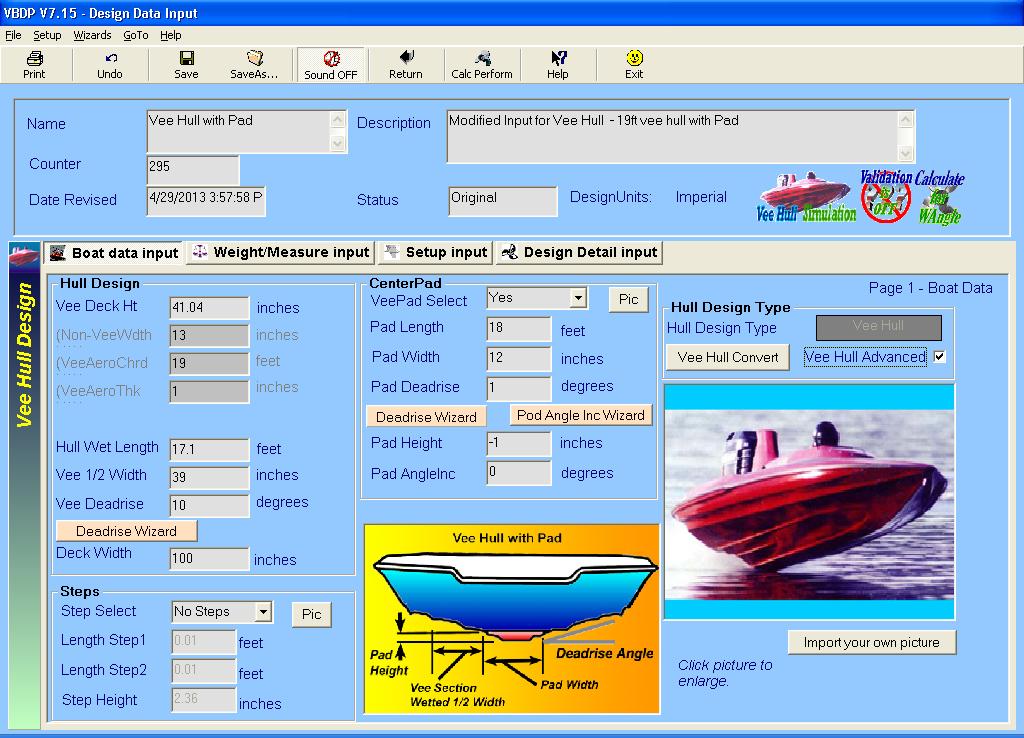
Hull or a Vee-Pad Hull. (Many more design/setup input details can be refined by the user at any time). The VBDP© is now included as part of the TBDP© software. Input your design dimensions and setup through standard input screens (4 wizards), where you're able to define sufficient detail to attain amazing performance results accuracy! OR, you can use the easy Quick Vee Design Wizard to build the details of your design automatically. |
|||||||||||||||||||||||
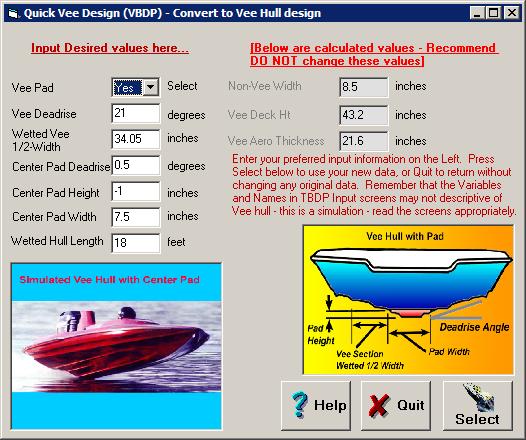 |
When using the Quick Vee Design Wizard, based on only a few key inputs, many design variables are [automatically] adjusted suitably, so that the software can easily & accurately simulate the Vee Hull or Vee-Pad hull design configuration. Use the routine for simulation of Vee Hull with Pad or without Pad. Gives a quick start to Vee hull performance analysis - then refine your design/setup using VBDP© with more details. | |||||||||||||||||||||||
|
The Wizard will use your Input form values to fill the key fields in the Quick Vee Design Wizard form. You can, if desired, change these inputs to suit your Vee Hull design or Vee-Pad Hull design. (There are over 60 design input variables in total, that define your design, setup & operation - the Wizard configures the key parameters for your Vee Hull or Vee Pad hull design, and you can easily input the other design details on 1-4 screens). View the sample Input screens and Performance Results screens (click here) |
||||||||||||||||||||||||
|
[Note: This is just a 'simulation' of a vee hull/vee-pad hull in TBDP, but results values are very representative of real performance! ...and the FULL Performance output predictions and charts are provided by TBDP.] |
||||||||||||||||||||||||
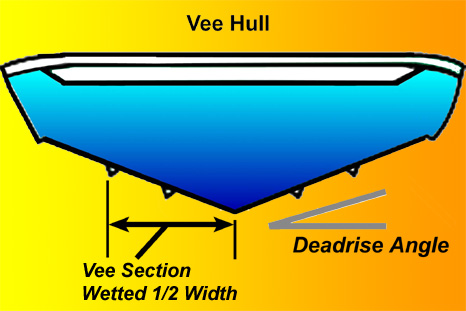 |
Vee Hull - This is the hull configuration of deep-vee hull shape. It has NO Vee-Pad running surface in the center of the Vees. For this hull configuration - Select Vee Pad = “YES” on the Quick Vee Simulation Wizard input form. | |||||||||||||||||||||||
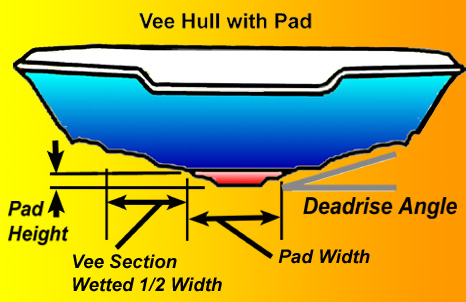 |
Vee-Pad Hull - This is the hull configuration of deep-vee hull WITH a center PAD planing surface in the center of the hull. For this hull configuration - Select Vee Pad = “YES” on the Quick Vee Simulation Wizard input form. | |||||||||||||||||||||||
|
Results - the performance results of the Quick Vee Design Wizard will approximate the performance of the Vee Hull or Vee-Pad Hull configuration. The full TBDP output screens of Performance Results are presented for your Vee hull design configuration. Use this feature to examine the changes in performance that result from design input changes. All Lift, Drag, Dynamic Stability and Porpoising Analysis results are presented in data and graphic format!
View the sample Input screens and Performance Results screens (click here) |
||||||||||||||||||||||||


















